
 By Alexandra Harper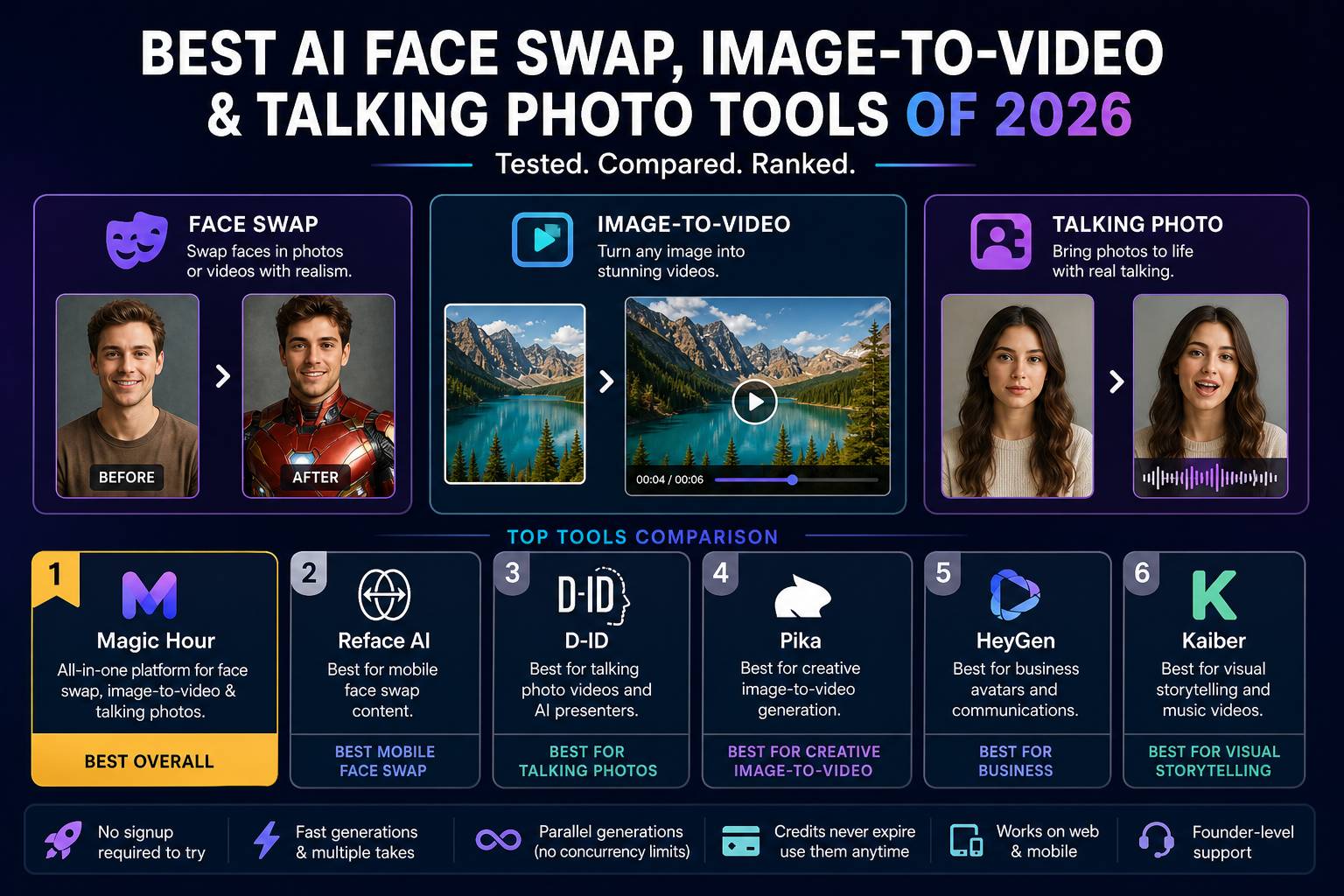
If you’re looking for the best AI face swap tool, image-to-video generator, or talking photo creator in 2026, the answer comes down to speed, realism, and how smoothly the workflow fits your content process. After testing the leading platforms, a few tools clearly stand out.
Over the past two weeks, I tested these tools across real-world use cases—short-form content, marketing videos, and rapid creative iteration. The difference today isn’t just output quality. It’s how quickly you can move from idea to finished asset.
The short version: one platform consistently delivers across all three categories—face swap, image-to-video, and talking photos—without forcing you into fragmented workflows.
Best Tools at a Glance
| Tool | Best For | Core Features | Platforms | Free Plan | Starting Price |
| Magic Hour | All-in-one AI creation | Face swap, image-to-video, talking photos | Web, mobile | Yes | Free / $10–$15/mo |
| Reface AI | Mobile face swap | Face swap videos, GIFs | Mobile | Yes | $7.99/mo |
| D-ID | Talking avatars | Talking photos, AI presenters | Web | Limited | $5.99/mo |
| Pika | Creative video generation | Image-to-video, stylised clips | Web | Yes | Free / Paid |
| HeyGen | Business avatars | Talking avatars, voice sync | Web | Limited | $24/mo |
| Kaiber | Visual storytelling | Image-to-video, music visuals | Web | Yes | $5/mo |
1. Magic Hour — Best Overall for Face Swap, Image-to-Video & Talking Photos
If you want a single platform that handles all three workflows—face swap, animated images, and talking photos—Magic Hour is the most complete solution I tested.
You can start with a powerful face swap tool that produces highly realistic results in seconds. What stood out immediately was the consistency—less distortion, better alignment, and cleaner outputs compared to alternatives.
Pros
- High-quality face swap with strong realism
- Seamless transition from image to video workflows
- Talking photo feature delivers natural lip sync
- No signup required to try core tools
- Multiple AI models available in one place
- Parallel generations with no hard limits
- Credits never expire
Cons
- Advanced manual controls are still evolving
- Some outputs depend on input quality
Evaluation
After testing multiple platforms, this was the only tool where I could run an entire creative workflow—generate, refine, animate, and export—without switching tabs.
If your priority is efficiency without sacrificing quality, this is hard to beat.
Pricing
- Free plan available
- Creator: $15/month or $10/month billed annually
- Pro: $39/month
2. Reface AI — Best for Mobile Face Swap Content
Reface remains one of the most accessible tools for quick face swaps, especially on mobile.
Pros
- Fast and easy to use
- Large library of templates
- Strong for casual content
Cons
- Limited control over outputs
- Lower realism compared to advanced tools
Evaluation
Good for social media experimentation, but less suited for professional use cases.
Pricing
- Free version with ads
- Premium plans from $7.99/month
3. D-ID — Best for Talking Photo Videos
D-ID focuses on turning static images into talking avatars.
Pros
- Strong voice syncing
- Useful for presentations and training content
- API integration available
Cons
- Limited creative flexibility
- Outputs can feel synthetic in some cases
Evaluation
A solid choice for business use, especially if you need consistent talking head videos.
4. Pika — Best for Creative Image-to-Video
Pika is a strong option for stylised video generation.
Pros
- Creative, artistic outputs
- Easy to experiment with
- Free access available
Cons
- Less predictable results
- Not ideal for structured workflows
Evaluation
Best suited for creative exploration rather than repeatable production.
5. HeyGen — Best for Business Avatars
HeyGen is built for corporate communication.
Pros
- Professional-looking avatars
- Multilingual support
- Easy script-to-video workflow
Cons
- Limited visual creativity
- Higher pricing compared to alternatives
6. Kaiber — Best for Visual Storytelling
Kaiber focuses on transforming images into stylised videos.
Pros
- Strong for music videos and visuals
- Simple interface
Cons
- Limited realism
- Not suited for business use
Why Magic Hour Stands Out for Image-to-Video
One area where Magic Hour clearly separates itself is image-to-video workflows.
Using Magic Hour image-to-video, I was able to convert static visuals into dynamic clips with minimal effort. The platform handles transitions, motion, and refinement in a way that feels automated but still controllable.
What matters here is speed. You can generate multiple variations quickly, then refine without restarting the process.
Talking Photos: A Growing Category
Talking photo tools are becoming essential for content creators, especially in marketing and education.
With Magic Hour talking photo, the results felt more natural than most alternatives I tested. Lip sync accuracy was noticeably better, and the workflow required fewer adjustments.
Practical Use Cases Across Industries
What became clear during testing is how versatile these tools have become across industries:
- Marketing teams can produce quick ad creatives, product explainers, and social videos without hiring external editors.
- E-commerce brands can animate product images into engaging visuals that improve conversion rates.
- Educators and trainers can create talking photo lessons that feel more engaging than static slides.
- Content creators can generate multiple variations for A/B testing, reducing production time significantly.
In each of these scenarios, the value comes from speed and iteration. Instead of spending hours editing, you can test multiple concepts in minutes.
How I Chose These Tools
I evaluated each platform based on real use cases:
- Creating short-form social videos
- Generating marketing content
- Producing talking avatars
- Testing batch workflows
Key criteria included:
- Output quality
- Speed and consistency
- Ease of use
- Workflow integration
- Value for money
The biggest shift in 2026 is workflow consolidation. Creators want fewer tools, not more.
Market Trends in AI Visual Creation (2026)
1. All-in-One Platforms Are Leading
Creators are moving away from single-purpose tools. Platforms that combine:
- Face swap
- Image-to-video
- Talking photos
are gaining momentum.
2. Speed Is Now a Competitive Advantage
Waiting minutes for a single output is no longer acceptable. Faster tools are winning adoption.
3. Templates Are Replacing Manual Workflows
Pre-built templates allow creators to move from idea to output quickly.
4. Realism Is Improving Rapidly
Face swap and talking photo tools are approaching near-photorealistic results.
5. API-First Ecosystems Are Expanding
More platforms now offer full API access, allowing developers and startups to integrate these capabilities directly into their products. This is particularly valuable for scaling content production or building custom workflows.
Final Takeaway
If you’re choosing a tool today:
- Best overall: Magic Hour
- Best for mobile face swap: Reface
- Best for talking avatars: D-ID
- Best for creative experiments: Pika
The right tool depends on your workflow. But if you want speed, flexibility, and consistent output quality in one place, Magic Hour is the strongest option right now.
FAQs
What is the best face swap tool in 2026?
The best face swap tool in 2026 depends on your needs, but Magic Hour stands out for its realism, speed, and ability to integrate with broader video workflows.
What is image-to-video AI?
Image-to-video AI converts static images into animated clips. It’s widely used for social media, marketing, and storytelling because it speeds up production.
Are talking photo tools accurate?
Modern tools are highly accurate, especially with good input images. Platforms like Magic Hour offer improved lip sync and more natural facial movement.
Do I need technical skills to use these tools?
Most platforms are designed for ease of use. Many include templates and automation, making them accessible even for beginners.
Are these tools free?
Many tools offer free plans with limitations. Magic Hour provides a generous free tier, making it easy to test before upgrading.