
 By Mike Willson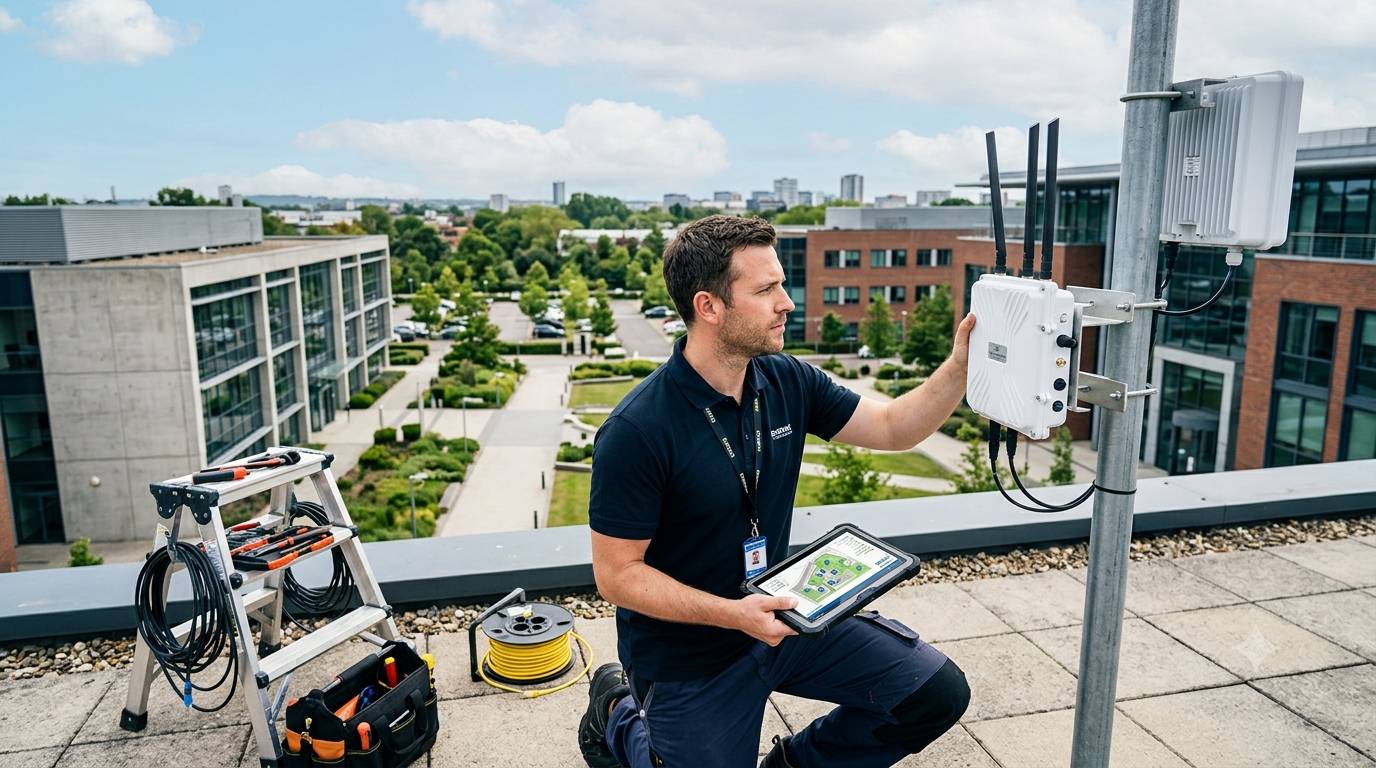
Reliable internet connectivity is now essential for businesses operating beyond conventional office environments. Construction sites, warehouses, farms, transport facilities, events, utilities, and remote commercial locations may all require stable wireless access where fixed broadband is unavailable or impractical. Choosing suitable outdoor networking equipment requires more than comparing speeds. Businesses must consider weather exposure, coverage, security, connectivity options, installation requirements, and future capacity to create a dependable network that supports everyday operations.
An Outdoor router enclosure can protect networking hardware from rain, dust, humidity, sunlight, and temperature changes, while GTT Wireless outdoor router solutions can help businesses identify suitable equipment for demanding external installations. A reliable system should provide appropriate environmental protection without restricting ventilation, antenna performance, cable access, or maintenance. Evaluating the complete installation rather than the router alone can prevent performance issues and unnecessary replacement costs later.
Start With the Business Requirement
The first step is to establish exactly what the wireless network needs to achieve. A temporary construction site has different requirements from a permanent agricultural monitoring network or a large industrial facility. Understanding the application helps determine the appropriate router specification, connectivity method, coverage range, and protection level.
Assess the Location
Consider where the router will operate and what environmental conditions it will encounter. An exposed rooftop installation may face intense sunlight and heavy rainfall, while equipment near the coast may require greater resistance to salt-laden air. Dust, vibration, condensation, and temperature extremes should also be included in the assessment.
Businesses should also identify potential physical obstructions such as buildings, machinery, trees, storage structures, and vehicles. These can influence wireless signal distribution and affect the most suitable antenna position.
Check Connectivity Options
Outdoor routers can support different methods of connecting a business to the internet or wider network. Depending on location, organisations may consider cellular connectivity, Wi-Fi, Ethernet, or combinations of these technologies.
A cellular router can be particularly useful in remote locations where wired broadband is unavailable. Before selecting equipment, businesses should check local network availability, supported cellular bands, SIM requirements, expected data usage, and whether multiple network operators can be supported.
For critical operations, redundancy can also be valuable. A secondary connection may allow essential services to remain available if the primary connection experiences an outage.
Choose the Right Antenna
Antenna selection has a direct effect on wireless performance. The ideal choice depends on the coverage area, network frequency, physical surroundings, and position of connected devices.
For broad coverage around a central point, an omnidirectional antenna may be appropriate, and GTT Wireless outdoor router solutions can provide options to consider alongside the wider network requirements. Directional antennas may be more suitable where connectivity needs to be concentrated towards a specific building or remote location.
Think About Antenna Placement
Even a high-quality antenna may deliver disappointing results if positioned poorly. Height, surrounding structures, cable length, interference, and line of sight can all influence performance.
Where possible, antennas should be installed away from large metal structures and unnecessary sources of radio interference. Cable runs should also be kept sensible, as excessive cable length can introduce signal loss.
Prioritise Environmental Protection
Outdoor routers require protection appropriate to their surroundings. An enclosure should provide sufficient resistance against water and dust while allowing safe access to the equipment for inspection or servicing.
Ingress protection ratings can help businesses compare enclosure suitability. The required rating depends on the installation environment and expected exposure.
Consider Thermal Management
Protecting equipment from rain is only part of the challenge. Direct sunlight and internal heat generated by electronic components can raise temperatures significantly.
Suitable thermal management may involve ventilation, heat dissipation, insulation, fans, or sun shields. The correct approach depends on equipment specifications, ambient conditions, enclosure construction, and power consumption.
Evaluate Security Features
Outdoor equipment can be more accessible to unauthorised individuals than hardware installed inside a controlled office. Physical and digital security should therefore be considered together.
A secure enclosure with suitable locks can reduce the likelihood of tampering. On the network side, businesses should assess firewall capabilities, encryption, authentication, firmware support, remote management, and access controls.
Regular firmware updates are important because network equipment can remain exposed to newly identified vulnerabilities if software is left outdated.
Look for Practical Installation Features
The best outdoor router is not necessarily the one with the longest specification sheet. Installation and maintenance can have a major influence on real-world performance.
Businesses should look for features such as:
- Suitable ingress protection
- Flexible mounting options
- Compatible antenna connectors
- Reliable power arrangements
- Remote monitoring capability
- SIM access where required
- Adequate ventilation
- Secure cable entry points
- Space for future equipment
- Clear manufacturer support
These details can simplify deployment and reduce avoidable maintenance problems.
Plan for Future Network Growth
Wireless requirements rarely remain unchanged. Businesses may add cameras, sensors, point-of-sale systems, access controls, computers, monitoring equipment, or Internet of Things devices over time.
Selecting equipment with sufficient processing capability, network capacity, and connectivity options can make future expansion easier. It is also worth considering whether the router supports remote configuration and monitoring, particularly where equipment is installed at multiple locations.
Calculate Total Cost of Ownership
Purchase price is only one part of the investment. Businesses should consider installation, enclosure costs, antennas, cabling, power consumption, data plans, maintenance, replacement cycles, and technical support.
A slightly higher initial investment may offer better value if the equipment provides longer service life, easier remote management, stronger environmental protection, and fewer interruptions.
Test Before Full Deployment
A site survey or pilot installation can provide valuable evidence before a business commits to a larger rollout. Testing can identify coverage gaps, interference, weak cellular signals, unsuitable mounting positions, and thermal concerns.
Performance should be assessed under realistic operating conditions rather than relying solely on laboratory specifications. Measuring signal strength, connection stability, throughput, latency, and device capacity can provide a clearer indication of expected results.
Build a Reliable Outdoor Network
Choosing outdoor routers for business use requires a balanced assessment of connectivity, environmental exposure, antenna performance, security, installation, and future requirements. The strongest solution is one that matches the actual location and workload rather than simply offering the highest headline speed. By combining suitable outdoor routers with appropriate enclosures, antennas, power systems, and monitoring, businesses can establish dependable connectivity across demanding sites. Careful planning and professional equipment selection can reduce downtime, control long-term costs, and provide a scalable foundation for future digital operations.